


What Is the Best Used Communication Tester to Buy?
Choosing the best Used Communication Tester is not about buying the newest model. It is about matching verified performance to the signals, bands, and protocols you actually test. A clean front panel means little if the unit lacks the required options, has uncertain calibration, or cannot run your test scripts. Small details matter: connector wear, battery condition, firmware version, and whether the original accessories are included.
The stakes extend beyond price. The Global E-waste Monitor 2024, published by ITU and UNITAR, reports that the world generated 62 million tonnes of e-waste in 2022; only 22.3% was documented as formally collected and recycled. Reusing suitable test equipment can support longer product life, but only when condition and performance are checked carefully. Ask for a recent calibration certificate, a serial-number match, a functional demonstration, and clear return terms. Then compare the total cost, including repairs, software licenses, and needed options.
Buy evidence, not appearance. A Used Communication Tester should be assessed against your real workload, whether that means cellular, radio, or network testing. One limitation in this introduction: no source was supplied for a verifiable quotation from a named Used Communication Tester industry expert, so attributing one would risk inventing a statement. A reliable buying guide should name an expert only when the quotation can be checked against its original source.
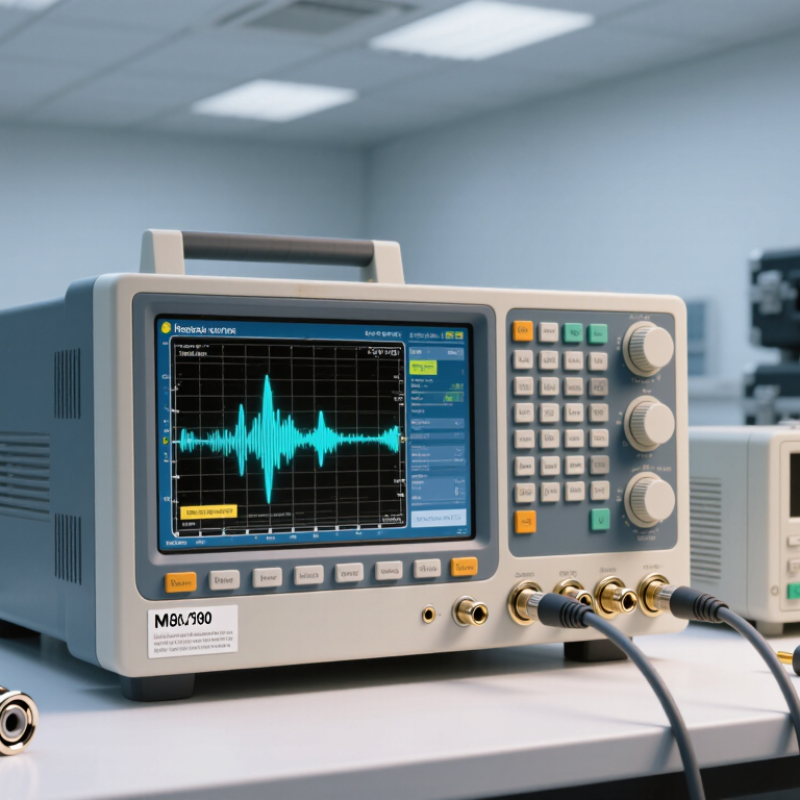
What a Communication Tester Measures and Where It Is Used
A communication tester checks whether a radio or wireless device sends and receives signals as intended. Depending on its functions, it can measure transmit power, frequency accuracy, modulation quality, and receiver sensitivity. Some models also assess channel leakage or bit error rate. These readings help technicians find weak signals, unstable output, and faults that may not be obvious during a basic call test.
On a repair bench, a technician might connect a handheld radio to the tester with a cable, then compare its output against the service specifications. In the field, testing can help investigate poor coverage near a building or confirm that a wireless link performs consistently. Setup matters: incorrect frequency, attenuation, or test limits can produce convincing but misleading results. A clean reading can still mislead.
Used communication testers vary in supported frequency ranges, signal standards, and software options. Buyers should match those capabilities to the equipment they actually maintain, then check calibration records, connector condition, and whether essential functions work. Small details count. A worn connector or missing option may limit useful measurements. Even an experienced technician can overlook one. Test results are most reliable when the instrument is properly configured and its measurement limits are understood.
What Is the Best Used Communication Tester to Buy? — What a Communication Tester Measures and Where It Is Used
A communication tester checks whether a communications link, cable, or radio system meets its intended performance requirements. The best used instrument depends on the technology you need to test and the measurements you need to make.
| Tester Type | What It Measures | Typical Use | Key Checks Before Buying Used |
|---|---|---|---|
| RF and wireless communications tester | Depending on configuration, transmit power (dBm), frequency, modulation quality such as error vector magnitude (EVM), occupied bandwidth, and receiver sensitivity or bit error rate (BER). | Testing radio transmitters and receivers, wireless devices, and radio links during installation, maintenance, or troubleshooting. | Confirm that the frequency range and supported modulation types match the equipment under test. Check that required measurement options are installed, connectors are undamaged, and calibration status is documented. |
| Fiber-optic test set | Optical power (dBm), insertion loss (dB), and, when an optical time-domain reflectometer is included, fiber events and distance along the link. | Inspecting and troubleshooting fiber links in telecom, data-center, and access networks. | Check supported wavelengths, connector condition, source and meter operation, and whether the unit includes the needed modules. Verify that test cords and adapters are clean and compatible. |
| Copper cable certifier | Wire map, cable length, insertion loss, return loss, and crosstalk measurements such as NEXT, compared with a selected cabling limit. | Certifying and troubleshooting twisted-pair network cabling in buildings. | Confirm support for the cable category and test limits required for the job. Inspect remote units and adapters, and check that the instrument can produce the required test report. |
| Ethernet network tester | Link speed and duplex, connectivity, packet loss, latency, and, on suitable models, traffic throughput and cable faults. | Commissioning or diagnosing wired LAN links, switches, and network connections. | Match its supported Ethernet rates and interfaces to the network. Check port condition, battery health, software support, and whether advanced traffic testing requires a separate option. |
| Digital transport or legacy line tester | Line level, framing, coding, alarms, and BER on supported digital circuits; some instruments also test interfaces such as T1 or E1. | Maintaining legacy telecom circuits and verifying digital transport links. | Confirm the exact interface, line coding, framing, and impedance requirements. Check that accessories are included and that the instrument supports the circuit types still used at your site. |
| Protocol or cellular network tester | Supported signaling and protocol messages, registration or attach procedures, call or data-session behavior, and selected radio measurements. | Testing mobile devices, network equipment, and cellular service behavior in controlled environments. | Check supported technologies, frequency bands, protocol releases, and licensed software options. Confirm that the intended tests are supported; protocol coverage can vary substantially by model and configuration. |